
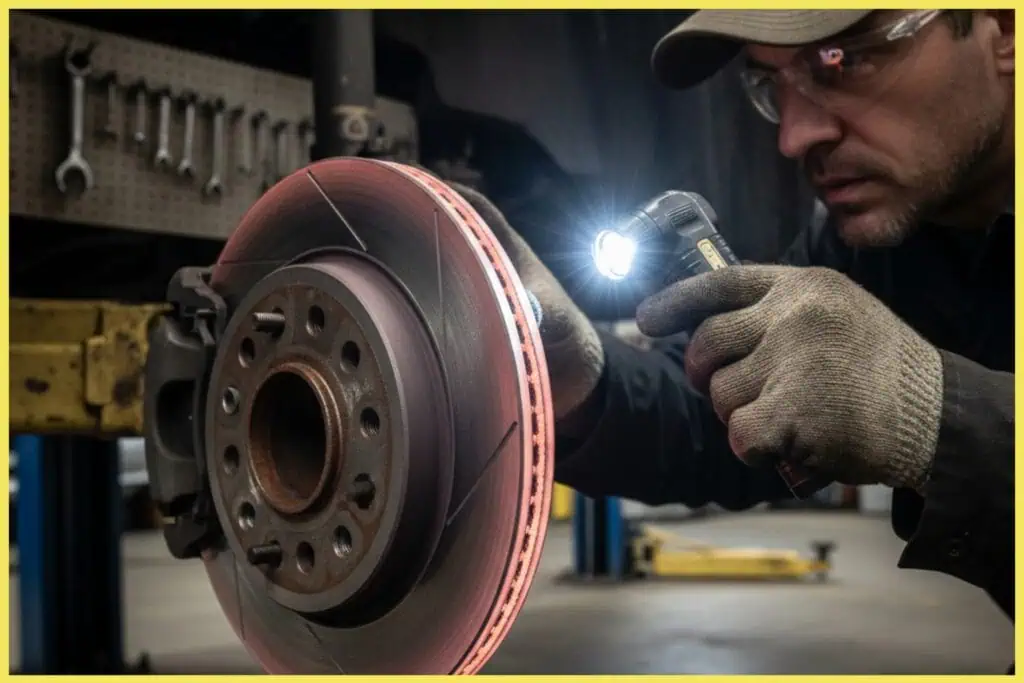
Feeling vibration when you brake? Hearing a grinding sound you didn’t notice before? These are often signs your brake rotors need attention, not just your pads. In this guide, our Jacksonville auto repair experts break down what to look for, what causes rotor damage, and when to act before a small issue becomes an expensive repair.
What Your Brake Rotors Actually Do
Rotors are the round metal discs behind your wheels. When you brake, hydraulic pressure pushes the pads against the rotors. Friction between the pad and rotor converts motion into heat and brings the vehicle to a stop.
For your brakes to work smoothly, the rotor needs to be:
- Flat and even in thickness
- Strong enough to handle repeated heat cycles
- Free from deep rust, cracks, and heavy grooves
Once a rotor becomes warped, thinned out, or heat damaged, it cannot give the pads a clean, consistent surface. That is when you begin to feel shaking, hear noise, or notice faster pad wear.
Common Signs Your Rotor Needs Help
1. Vibration or Pulsing When You Brake
One of the most common signs of rotor trouble is vibration. You may feel it in the steering wheel, through the brake pedal, or in the seat or floor at highway speeds.
This usually comes from uneven rotor thickness or heat spots on the rotor surface. As the pads clamp down, they hit thicker and thinner sections in rotation, creating a pulsing or shaking sensation.
If ignored too long, the high spots on the rotor keep rubbing more aggressively against the pads, creating uneven pad wear and glazing, where the pad surface becomes hard and less effective.
Pro Tip: If vibration only appears while braking and disappears when you let off the pedal, the rotors are likely the culprit. Alignment problems usually cause vibration all the time, not only during braking.
2. Scraping, Squealing, or Grinding Noises
Brake noise isn’t always a sign of rotor failure, but it often points to the rotor and pad no longer working well together. You might hear a light scraping sound that changes with wheel speed, a high-pitched squeal, or a harsh grinding noise.
Some pads use built-in wear indicators that squeal to warn you they’re getting low. But if you hear grinding or a deep metallic sound, it can mean the pad friction material is worn down and the metal backing plate is now digging into the rotor.
This metal-on-metal contact:
- Cuts deep grooves in the rotor
- Generates extra heat
- Shortens the life of any new pads you install later
Once a rotor has heavy scoring, it usually needs replacing instead of resurfacing.
3. Grooves, Ridges, or Blue Heat Spots on the Rotor Surface
If it’s safe to look through the wheel spokes, you can sometimes see the outer edge of the rotor. Signs of trouble include deep grooves you can feel with a fingernail, raised ridges around the outer edge, blue or dark purple patches showing extreme heat, and heavy rust on the contact face.
Grooves and ridges reduce contact area between the pad and rotor. That means parts of the pad are doing more work than others, leading to hot spots, uneven pad wear, and longer stopping distances.
Blue or purple marks indicate the rotor has been overheated. At that point, the metal structure has changed, and the rotor is more likely to warp again, even if it’s machined.
4. Longer Stopping Distances and Fading Brakes
Sometimes the signs are more about how the vehicle feels overall than specific sounds. You may notice the car takes more distance to slow down, you need to press the pedal harder than before, or the brakes feel strong at first, then fade on long downhill sections or repeated stops.
These symptoms can come from several brake issues, but worn or heat-damaged rotors are a common cause. When rotors are thin or uneven, they cannot absorb and shed heat properly, allowing the pads to overheat and reducing the friction needed for confident stopping.
5. Brake Pedal Feels Like It’s Pulsing
A pulsing brake pedal is slightly different from general vibration. It feels as if the pedal rhythmically pushes back at your foot during braking. This often happens when the rotor isn’t uniformly thick, the braking surface has high and low spots, or the rotor is slightly warped due to repeated heavy braking or overheating.
A mild pedal pulse is often the early stage of rotor trouble. Replacing or properly machining the rotors at this stage can save the new pads from uneven wear.
6. Visible Cracks or Heavy Rust
In some cases, rotor damage is very clear. You may see small hairline cracks on the rotor face, larger radial cracks running outward from the center, or heavy flaky rust breaking away from the rotor face or edges.
Surface rust that appears after rain and disappears after a short drive is normal. What’s not normal is thick scaling rust that doesn’t clean off with regular braking or cracks that spread over time.
Cracked or heavily corroded rotors lose structural strength, risk pieces breaking away, and can put extra stress on pads, calipers, and other brake parts. These rotors should be replaced, not resurfaced.
How Worn Rotors Damage Your Brake Pads
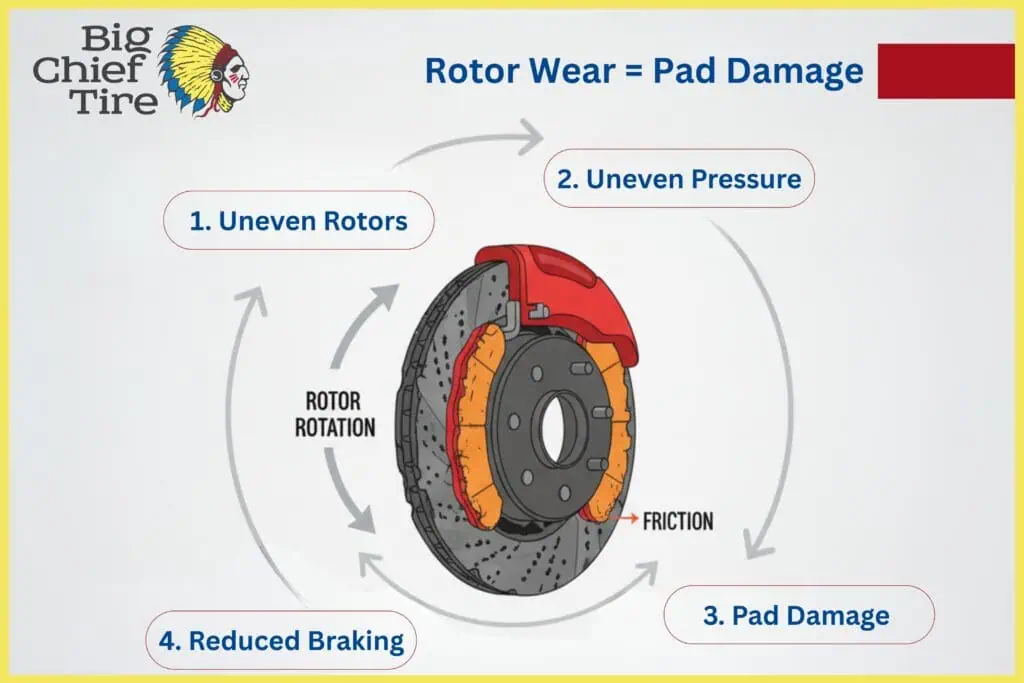
Rotors and pads are designed to wear together, but only when the rotor has a flat and even surface. Once that surface is damaged, the rotor starts acting like sandpaper against the new pad.
This can lead to:
- Uneven pad thickness
- Glazing, where the pad surface becomes shiny and less grippy
- Cracks or chunks missing from the pad material
- Squeaks and grinding noises returning soon after a recent brake job
In many cases, drivers replace pads without replacing worn rotors. The brakes feel better for a short time, then quickly return to noise, vibration, or poor stopping. The damaged rotors are the reason.
Replacing or resurfacing rotors at the correct time helps new pads last longer and perform the way they were designed.
Resurfacing vs. Replacing Rotors
Not every rotor problem means automatic replacement. In some situations, a technician can resurface the rotor, removing a thin layer of material to restore a flat surface.
Resurfacing might be possible when:
- Grooves are not too deep
- The rotor still has enough thickness after machining
- There are no cracks or severe heat spots
Rotors must stay above a specific minimum thickness to remain safe. That measurement is stamped on the rotor or listed by the manufacturer. If machining would bring the rotor too close to this limit, replacement is the safer choice.
Technicians use micrometers and proper measuring tools to decide if resurfacing is still an option or if replacement is the better long-term solution.
[NEW SECTION – Adds practical cost/time context readers are looking for]
What to Expect: Time and Cost
Every vehicle is different, but here’s a general idea of what brake rotor service involves:
- Rotor resurfacing: Usually takes 1-2 hours and costs less than replacement when the rotor is still within safe thickness limits.
- Rotor replacement (per axle): Typically takes 1-2 hours. Costs vary based on vehicle make and whether you choose OEM or aftermarket parts.
- Full brake service (pads + rotors): Plan for 1.5-3 hours depending on vehicle condition and any additional hardware replacement.
For an accurate estimate, bring your vehicle in for a brake inspection at any Big Chief Tire location in Jacksonville. We’ll measure your rotors, check pad wear, and give you upfront repair pricing before any work begins.
When You Should Have Your Rotors Checked
It’s a good idea to ask for a rotor inspection when:
- You hear any new brake noises
- You feel vibration or pulsing while braking
- Your brake pad warning light comes on
- You’re already replacing brake pads
- It’s been a long time since your last brake repair service
Catching rotor issues early means:
- Less risk of sudden brake fade
- Better stopping performance
- Longer life from your new pads
- Fewer return visits for the same problem
Catching rotor issues early can help you avoid costly repairs and improve overall braking performance. Regular preventative maintenance ensures your braking system stays safe and reliable year-round.
Big Chief Tire: Complete Brake Inspections That Look Beyond the Pads
A safe braking system is about more than installing new pads. At Big Chief Tire, our technicians inspect the full brake system, including rotors, calipers, hardware, and fluid condition, so problems are solved at the source, not just on the surface.
Across all Big Chief Tire locations in Jacksonville and Orange Park, we explain what we find, which parts truly need attention, and how to keep your brakes performing well for miles ahead.
If you’ve noticed shaking, noise, or changes in braking feel, schedule a full brake repair service to see whether your rotors need resurfacing, replacement, or just monitoring over time.
Frequently Asked Questions About Brake Rotors
How long do brake rotors typically last?
Most brake rotors last between 30,000 and 70,000 miles, depending on your driving habits, vehicle weight, and the quality of the rotors. Frequent stop-and-go city driving, towing, or aggressive braking can shorten rotor life significantly.
Can I replace just one rotor, or do I need to replace both?
Rotors should always be replaced in pairs, both front or both rear. Replacing just one rotor can cause uneven braking, which affects vehicle stability and can wear out the new rotor faster.
Is it safe to drive with warped rotors?
Warped rotors reduce braking effectiveness and can cause vibration that makes the vehicle harder to control during sudden stops. While you can usually drive short distances to a repair shop, you should avoid highway speeds and heavy braking until the rotors are inspected or replaced.
What causes brake rotors to warp?
The most common cause is excessive heat, often from heavy braking followed by sudden cooling (like driving through a puddle after hard braking). Other causes include improper lug nut torque, low-quality rotor materials, and worn brake pads that don’t distribute heat evenly.
Should I replace my rotors every time I replace brake pads?
Not necessarily. If your rotors are still above minimum thickness and have a smooth, even surface, they may only need resurfacing. However, if they’re near the wear limit, have deep grooves, or show signs of heat damage, replacing them along with your pads will give you better performance and longer pad life.
If you’re noticing vibration, squeaking, or reduced braking performance, don’t wait for the issue to worsen. Visit our Northside location for a professional brake inspection and honest recommendations.

